
Simple tools. Real progress.
Run your business
with confidence.
Manage clients, quotations, work and invoices — so you can focus on what matters most.
- All-in-one
Business management - Accessible
Desktop & mobile - Built for
Freelancers & small teams
Features
Everything you need, in one place.
Powerful tools designed for the way small businesses work.
Invoices
Create professional invoices and track their status.
Learn moreQuotations
Prepare and manage quotations for your clients.
Learn moreWork Logs
Record work by client, job ID and worker, with start and end times, hourly rates or fixed amounts.
Learn moreClient Management
Keep client details organised and easily accessible.
Learn moreBusiness Profiles
Manage business details and document branding.
Learn moreTeam Access
Give team members access based on their roles.
Learn moreScroll to explore
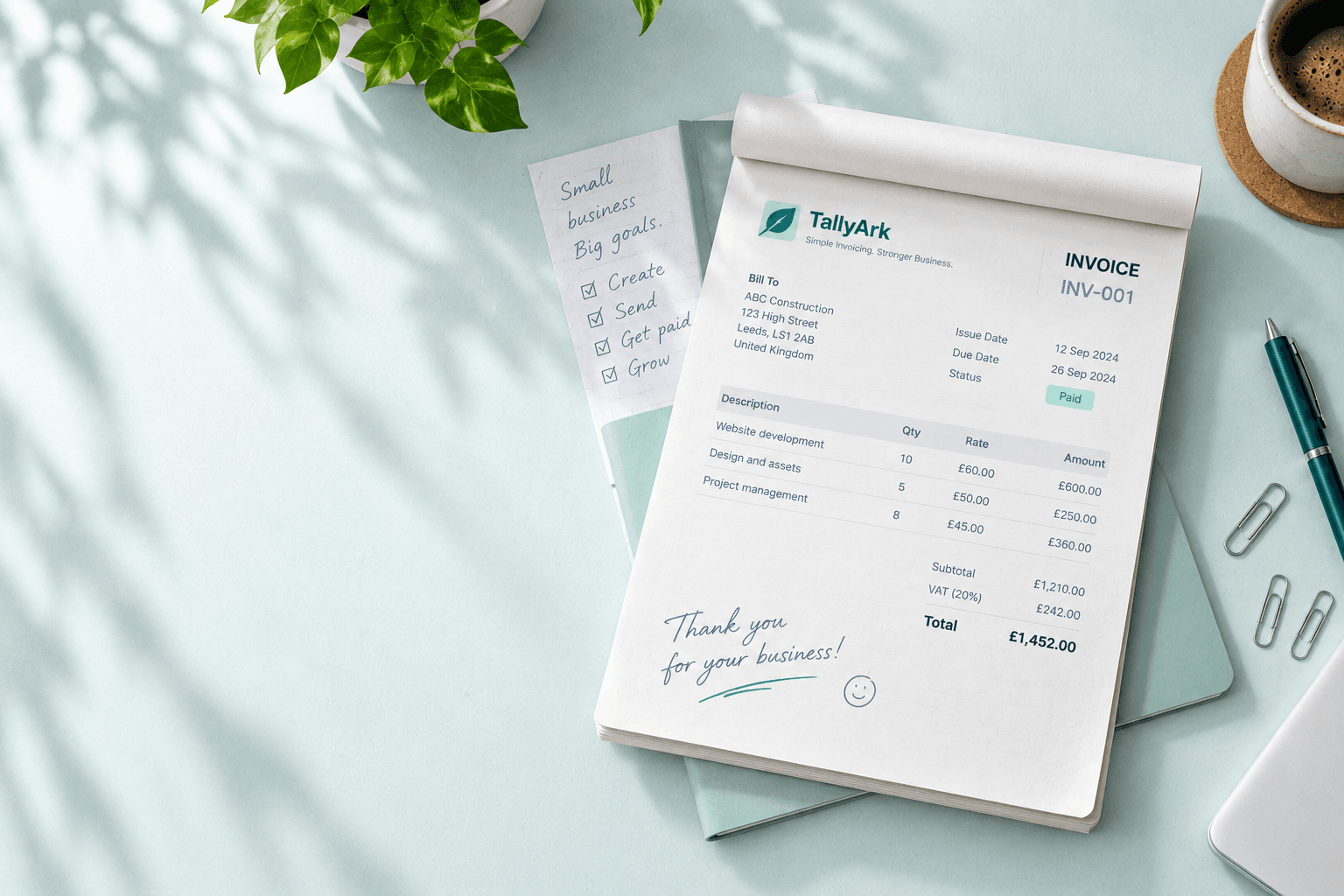
01 Invoices
Create professional invoices without the paperwork.
Create, customise and send invoices in minutes. Track their status, stay organised and keep everything in one place.
Professional templates
Create invoices that reflect your business.
Track invoice status
See what’s draft, sent, paid or overdue.
VAT & tax support
Apply tax rates with confidence.
PDF generation
Preview and download professional invoice PDFs.

02 Quotations
Win the work before you invoice it.
Create and manage professional quotations for your clients. Keep proposals organised, track their progress and turn approved work into invoices.
Professional quotations
Create polished quotations that reflect your business.
Track quotation status
Keep track of draft, sent and accepted quotations.
Convert to invoice
Turn approved quotations into invoices without re-entering everything.
Share with clients
Email quotations directly to your clients.
Work Logs
Turn your work
into value.
Record work by client, job ID and worker, with start and end times, hourly rates or fixed amounts. Keep records organised and accessible across your devices.
- Track time and calculate amounts automatically
- Keep records organised by client and job
- Access your data from desktop or mobile
Learn more about Work Logs
Choose a client and job ID, assign a worker, and record the time worked. Use an hourly rate, a fixed amount or no rate. Your organisation’s records are saved in the database, ready to access across devices.
Get started with Work Logs →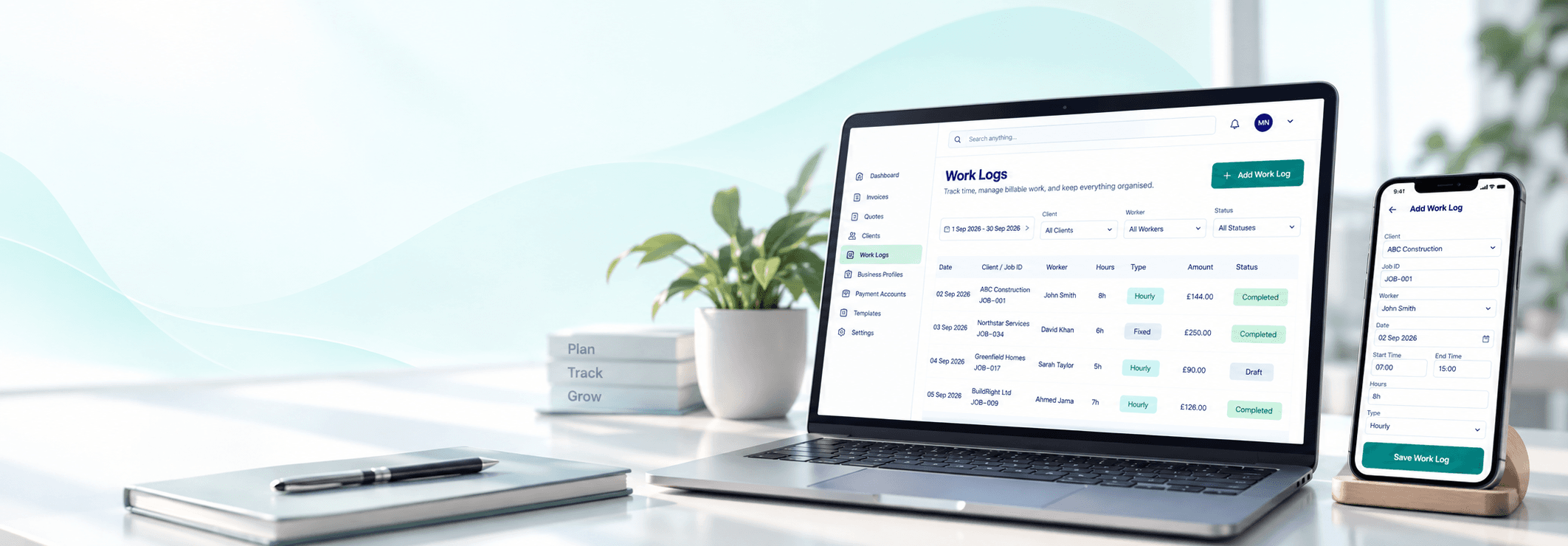

How it works
Get started in three simple steps.
- 1
Set up your business
Add your business details and configure your profile.
- 2
Add clients and record work
Create clients, record work and keep everything organised.
- 3
Create invoices and track progress
Turn your work into professional invoices and track their status.
Spend less time on admin.
More time on your business.
Get everything you need to manage your business in one place.